> ## Documentation Index
> Fetch the complete documentation index at: https://docs.cashmere.exchange/llms.txt
> Use this file to discover all available pages before exploring further.
# Allow for all positions
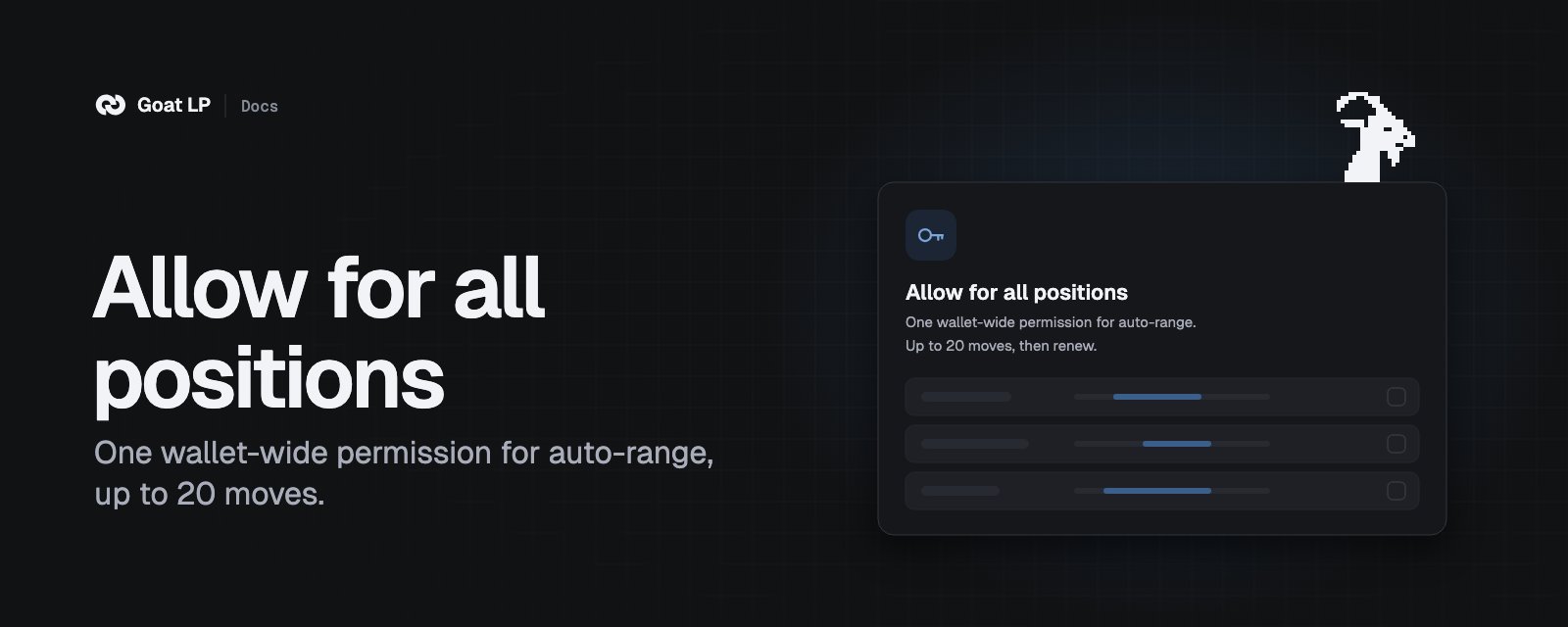
> Continuous auto-range: one wallet permission that keeps auto-range running after every move.
 Goat LP is experimental. Use small amounts.
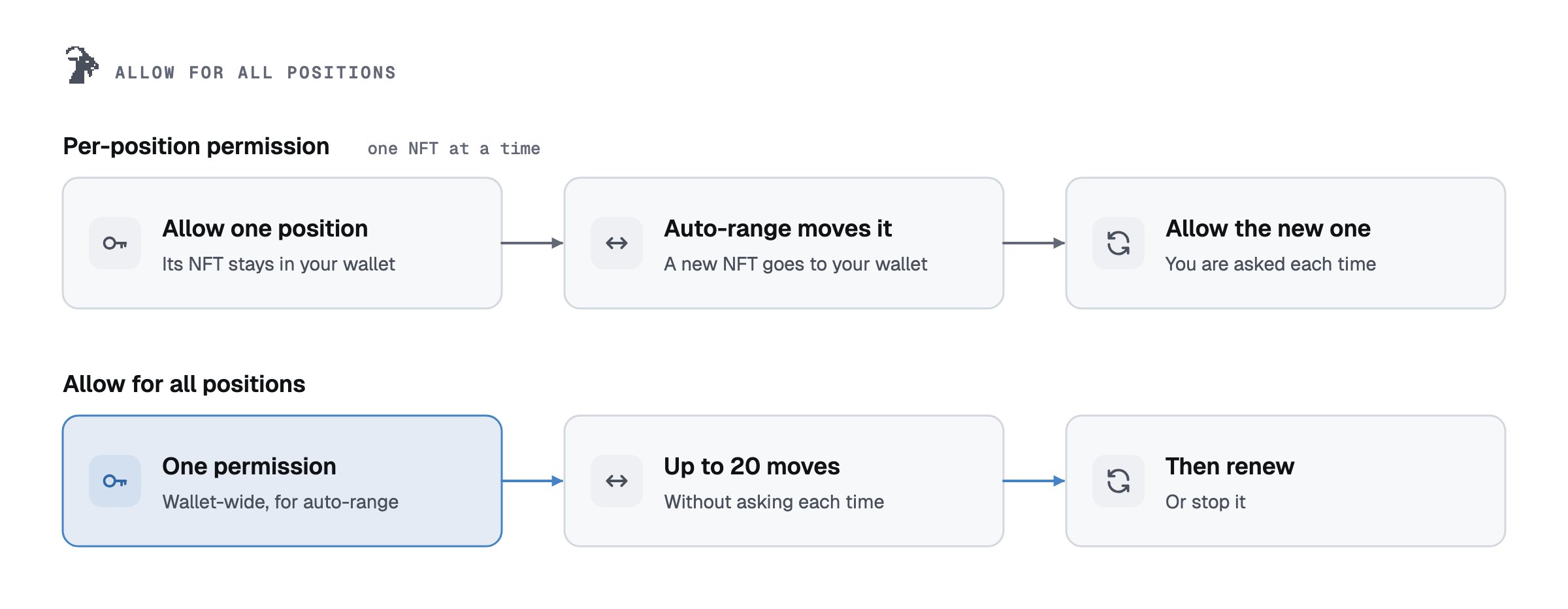
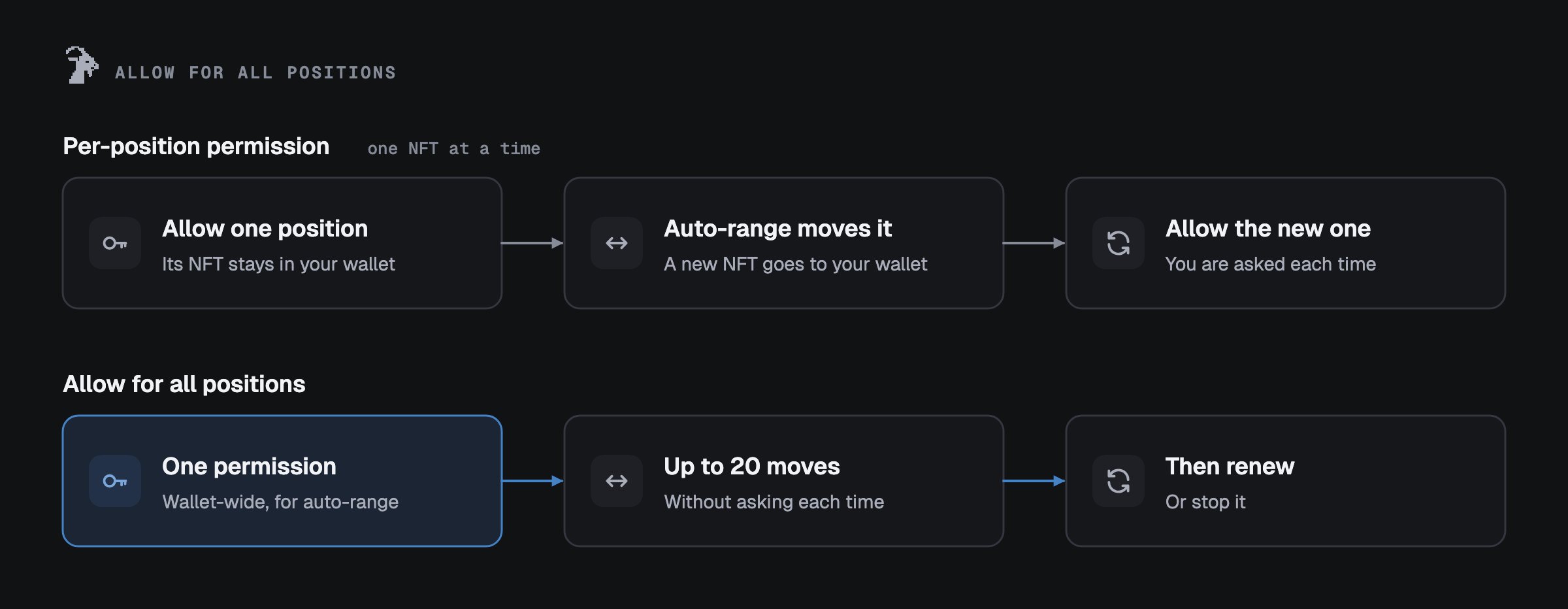
Every auto-range move makes a new position, and a permission for one position does not carry over. With
**Allow for all positions** you give one permission for your whole wallet, per Uniswap version, so
auto-range keeps running after every move without a tap.
## What it covers
Goat LP is experimental. Use small amounts.
Every auto-range move makes a new position, and a permission for one position does not carry over. With
**Allow for all positions** you give one permission for your whole wallet, per Uniswap version, so
auto-range keeps running after every move without a tap.
## What it covers
 * It covers every Uniswap v3 (or v4) position in this wallet, now and later.
* It acts **only on positions where you turned auto-range on**. On v4 that also includes an auto-exit you
marked to run under this permission. The contract checks this on every move.
* A move closes the position and opens a new one in your wallet, centred on the current price, with the
same width. Apart from Goat's fee, no tokens and no position go to anyone else.
## Limits
| | Uniswap v3 | Uniswap v4 |
| - | - | - |
| Moves | Goat's system stops after 20 moves and asks you | The contract stops after 20 moves (you can pick fewer) |
| Time between moves | At most one an hour on pairs with a Chainlink price, every 6 hours on others. Kept by Goat's system, not by the contract | 6 hours by default, down to 1 hour. Kept by the contract |
| Which rules keep moving | Every v3 auto-range rule you confirm | Every v4 auto-range rule you save while the permission is on |
| Narrow ranges | At least ±5% on each side, on pairs without a Chainlink price | The same: below ±5% on such a pair, a rule moves once and waits |
| Safety brake | An independent monitor pauses v3 auto-range if Goat's system breaks these rules | The contract refuses a move outside the limits |
| To continue | **Renew**: one transaction, no new permission | **Renew**: one transaction, no new permission |
**Cost per move:** 0.15% of the amount moved goes to Goat. The swapped part (about half) pays the pool's
swap fee, and at most your price protection (0.50% by default; on v4 plus a 0.10% safety margin). Gas is
paid by us.
## Turn it on
On the **Automation** page, press **Keep auto-range running**. The screen lists every rule the
permission will be able to run, each with a switch. A rule you switch off is turned off on the chain
first.
Tick that you understand it covers all your positions of that version in this wallet, then press
**Allow for all positions**.
Your wallet shows `setApprovalForAll` with one address: **Goat AutoRange** on v3, the **Goat auto-range
engine** on v4. It must match [Contracts](/goat-lp/contracts). If anything else ever asks you for
`setApprovalForAll`, or names another address, stop.
The button only works while Goat can confirm that no change to Goat auto-range is scheduled. If one is
scheduled, or the check cannot be read, the site does not ask for the permission.
## How to stop
* **Stop auto-range** on the Automation page removes the wallet-wide permission and every single-position
permission Goat auto-range still has, in one step (your wallet confirms each part). Then it reads them back:
"Stopped. No Goat contract can move a position of this wallet."
* On v4, auto-exit rules that run on the same engine stop too. The stop screen lists them first.
* **Stop this position** on a position page stops only that rule; the permission stays for the others.
* **Without the app:** call `setApprovalForAll(goatAddress, false)` on the v3 or v4 position manager.
`isApprovedForAll(yourWallet, goatAddress)` must then return `false`. See
[Security](/goat-lp/security#leave-without-the-app).
## The safety monitors
Independent monitors watch Goat auto-range. Each one holds a small key that can **only pause**:
auto-range moves, and the swaps of auto-range and auto-exit, on v3 and v4. They cannot pause compounding, or exits
that only withdraw (a swap pause makes exits that swap wait), cannot unpause and cannot move funds. Unpausing takes the owner Safe and waits 24 hours.
This documentation is built and hosted on [Mintlify](https://mintlify.com), a developer documentation platform.
* It covers every Uniswap v3 (or v4) position in this wallet, now and later.
* It acts **only on positions where you turned auto-range on**. On v4 that also includes an auto-exit you
marked to run under this permission. The contract checks this on every move.
* A move closes the position and opens a new one in your wallet, centred on the current price, with the
same width. Apart from Goat's fee, no tokens and no position go to anyone else.
## Limits
| | Uniswap v3 | Uniswap v4 |
| - | - | - |
| Moves | Goat's system stops after 20 moves and asks you | The contract stops after 20 moves (you can pick fewer) |
| Time between moves | At most one an hour on pairs with a Chainlink price, every 6 hours on others. Kept by Goat's system, not by the contract | 6 hours by default, down to 1 hour. Kept by the contract |
| Which rules keep moving | Every v3 auto-range rule you confirm | Every v4 auto-range rule you save while the permission is on |
| Narrow ranges | At least ±5% on each side, on pairs without a Chainlink price | The same: below ±5% on such a pair, a rule moves once and waits |
| Safety brake | An independent monitor pauses v3 auto-range if Goat's system breaks these rules | The contract refuses a move outside the limits |
| To continue | **Renew**: one transaction, no new permission | **Renew**: one transaction, no new permission |
**Cost per move:** 0.15% of the amount moved goes to Goat. The swapped part (about half) pays the pool's
swap fee, and at most your price protection (0.50% by default; on v4 plus a 0.10% safety margin). Gas is
paid by us.
## Turn it on
On the **Automation** page, press **Keep auto-range running**. The screen lists every rule the
permission will be able to run, each with a switch. A rule you switch off is turned off on the chain
first.
Tick that you understand it covers all your positions of that version in this wallet, then press
**Allow for all positions**.
Your wallet shows `setApprovalForAll` with one address: **Goat AutoRange** on v3, the **Goat auto-range
engine** on v4. It must match [Contracts](/goat-lp/contracts). If anything else ever asks you for
`setApprovalForAll`, or names another address, stop.
The button only works while Goat can confirm that no change to Goat auto-range is scheduled. If one is
scheduled, or the check cannot be read, the site does not ask for the permission.
## How to stop
* **Stop auto-range** on the Automation page removes the wallet-wide permission and every single-position
permission Goat auto-range still has, in one step (your wallet confirms each part). Then it reads them back:
"Stopped. No Goat contract can move a position of this wallet."
* On v4, auto-exit rules that run on the same engine stop too. The stop screen lists them first.
* **Stop this position** on a position page stops only that rule; the permission stays for the others.
* **Without the app:** call `setApprovalForAll(goatAddress, false)` on the v3 or v4 position manager.
`isApprovedForAll(yourWallet, goatAddress)` must then return `false`. See
[Security](/goat-lp/security#leave-without-the-app).
## The safety monitors
Independent monitors watch Goat auto-range. Each one holds a small key that can **only pause**:
auto-range moves, and the swaps of auto-range and auto-exit, on v3 and v4. They cannot pause compounding, or exits
that only withdraw (a swap pause makes exits that swap wait), cannot unpause and cannot move funds. Unpausing takes the owner Safe and waits 24 hours.
This documentation is built and hosted on [Mintlify](https://mintlify.com), a developer documentation platform.