> ## Documentation Index
> Fetch the complete documentation index at: https://docs.cashmere.exchange/llms.txt
> Use this file to discover all available pages before exploring further.
# Getting started
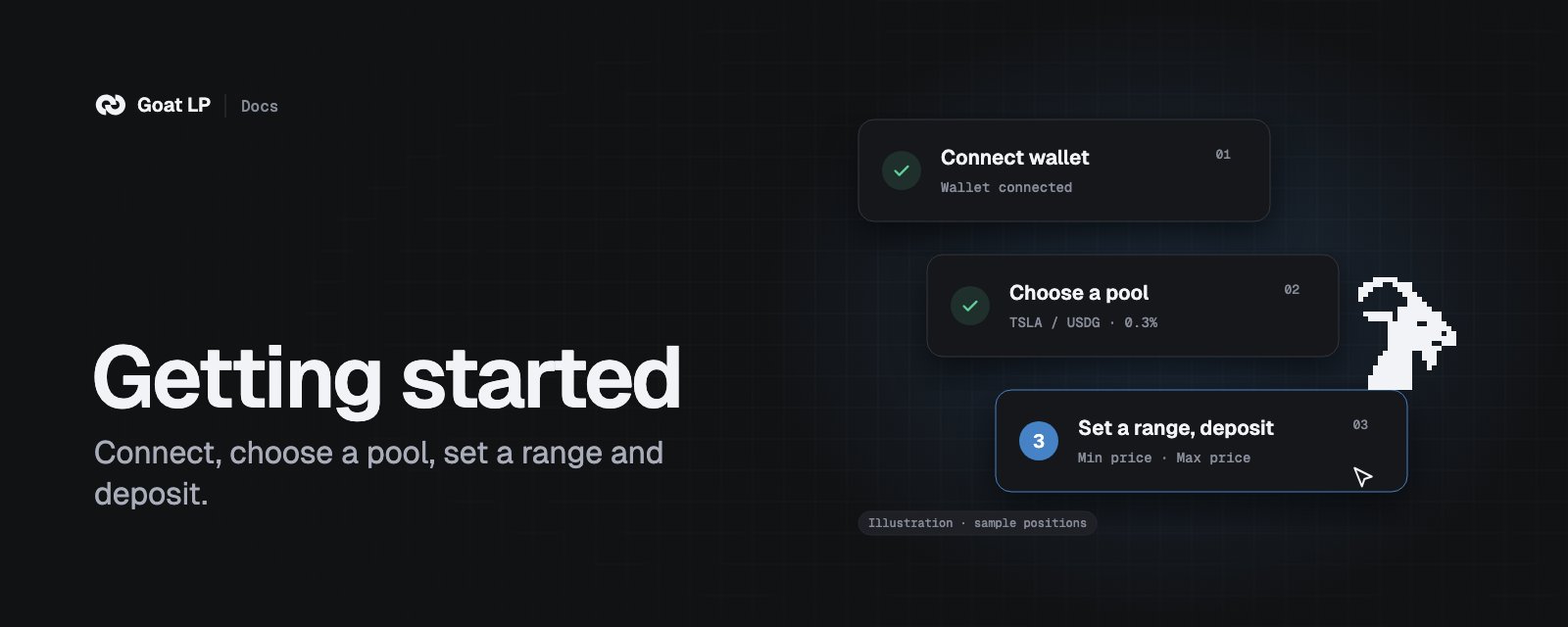
> Connect, find a pool, open a position and manage it.
 Goat LP is experimental. Use small amounts.
## Before you start
* **A wallet on Robinhood Chain** (chain ID 4663), with a little ETH for gas.
* **The right site.** Only `app.cashmere.exchange`. Cashmere will never message you first, or ask for your
keys or a signature anywhere else.
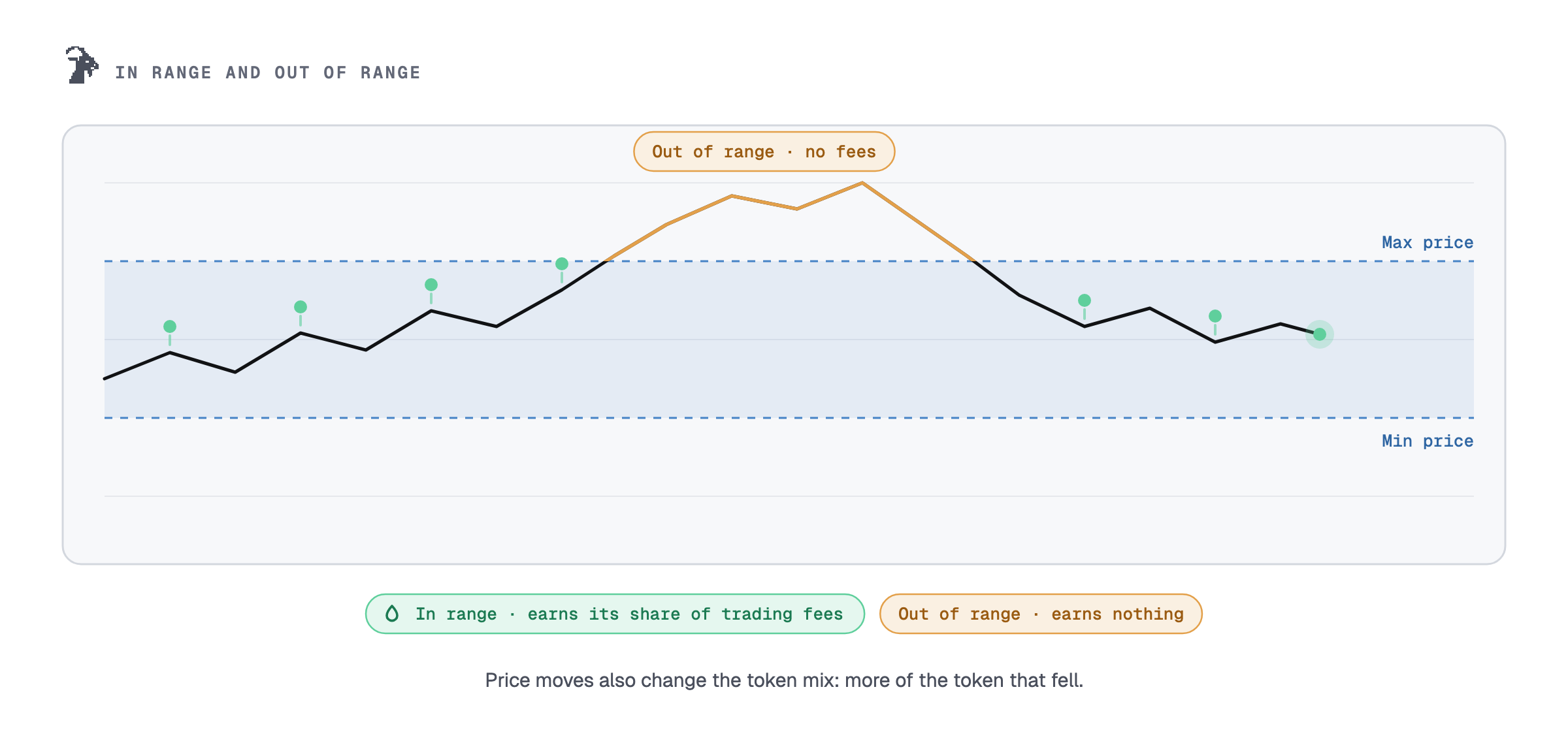
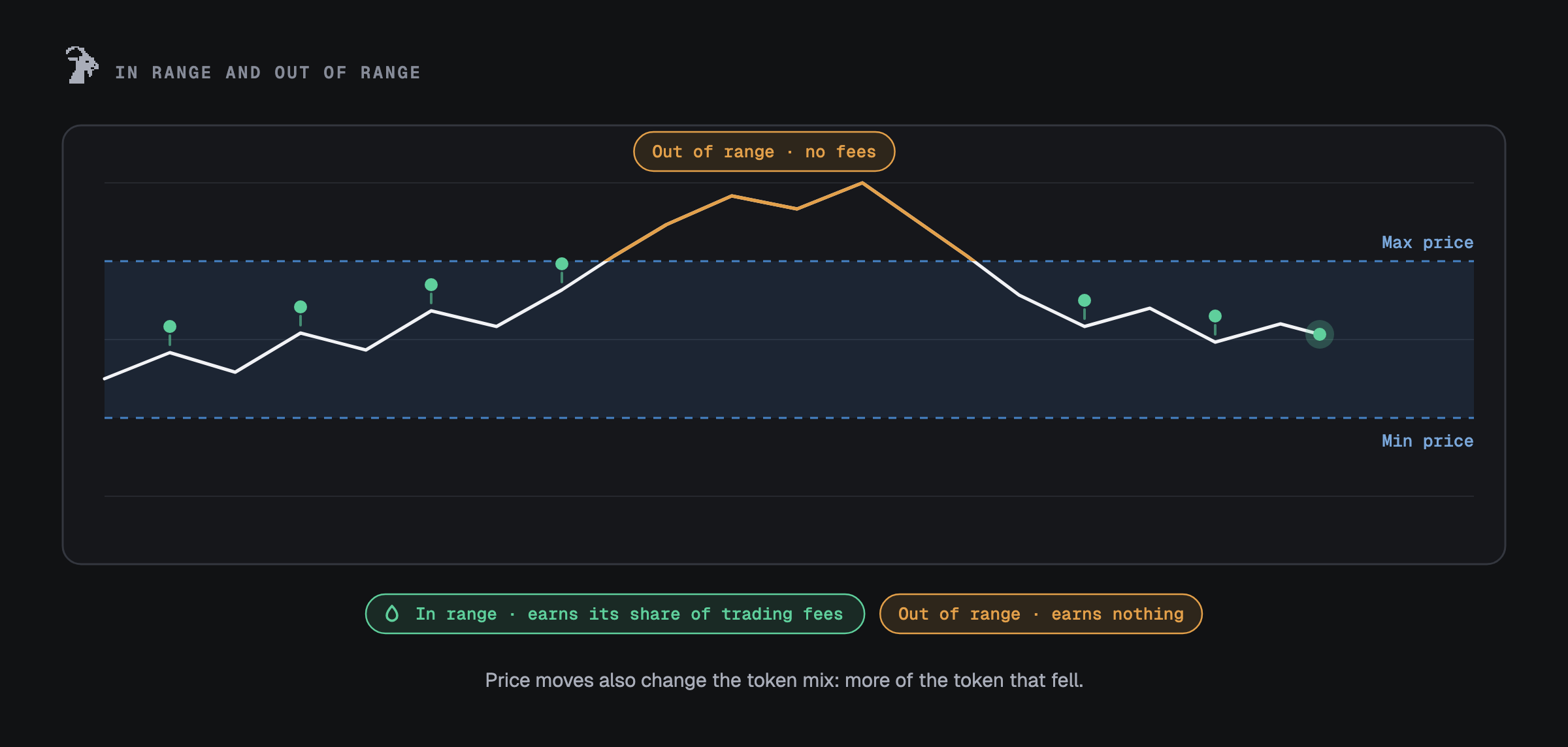
* **The idea.** You deposit two tokens into a price range. While the price is inside the range you earn a
share of the swap fees. Outside it, the position holds one token and earns nothing.
Goat LP is experimental. Use small amounts.
## Before you start
* **A wallet on Robinhood Chain** (chain ID 4663), with a little ETH for gas.
* **The right site.** Only `app.cashmere.exchange`. Cashmere will never message you first, or ask for your
keys or a signature anywhere else.
* **The idea.** You deposit two tokens into a price range. While the price is inside the range you earn a
share of the swap fees. Outside it, the position holds one token and earns nothing.
 ## Open a position
 Browse **Pools** (search and sort by TVL, volume or fee APR), **Stock pools** (pools built around
Robinhood stock tokens that pass Goat LP's filters) or **Top positions**. A listing is not a
recommendation.
Use a preset (±1%, ±5%, ±10%, ±20% or Full) or set your own bounds. Bounds snap to the pool's price
steps, so the review shows the exact ones. A narrow range gets a larger share of the swap fees while the price is
inside it, and leaves the range more often.
Type one amount and the other follows the pool's ratio. Or deposit **one token**: part of it is swapped
to match the range. Only that swapped part pays the 0.65% Goat LP fee.
The review lists each wallet step in order, the minimum you will get, and any fee in tokens and dollars.
Token approvals are for the exact amount. On Uniswap v4 they go through Permit2 and expire after
30 minutes. The new position NFT goes to your wallet.
On WETH pairs you can pay the WETH side with ETH. The Uniswap position manager wraps it in the same transaction
and sends unused ETH back to your wallet. No WETH approval is needed. On Uniswap v3 you can also start a
one-token deposit from ETH.
## Manage a position
Open the position from your **Dashboard**. The main buttons sit at the top.
Browse **Pools** (search and sort by TVL, volume or fee APR), **Stock pools** (pools built around
Robinhood stock tokens that pass Goat LP's filters) or **Top positions**. A listing is not a
recommendation.
Use a preset (±1%, ±5%, ±10%, ±20% or Full) or set your own bounds. Bounds snap to the pool's price
steps, so the review shows the exact ones. A narrow range gets a larger share of the swap fees while the price is
inside it, and leaves the range more often.
Type one amount and the other follows the pool's ratio. Or deposit **one token**: part of it is swapped
to match the range. Only that swapped part pays the 0.65% Goat LP fee.
The review lists each wallet step in order, the minimum you will get, and any fee in tokens and dollars.
Token approvals are for the exact amount. On Uniswap v4 they go through Permit2 and expire after
30 minutes. The new position NFT goes to your wallet.
On WETH pairs you can pay the WETH side with ETH. The Uniswap position manager wraps it in the same transaction
and sends unused ETH back to your wallet. No WETH approval is needed. On Uniswap v3 you can also start a
one-token deposit from ETH.
## Manage a position
Open the position from your **Dashboard**. The main buttons sit at the top.
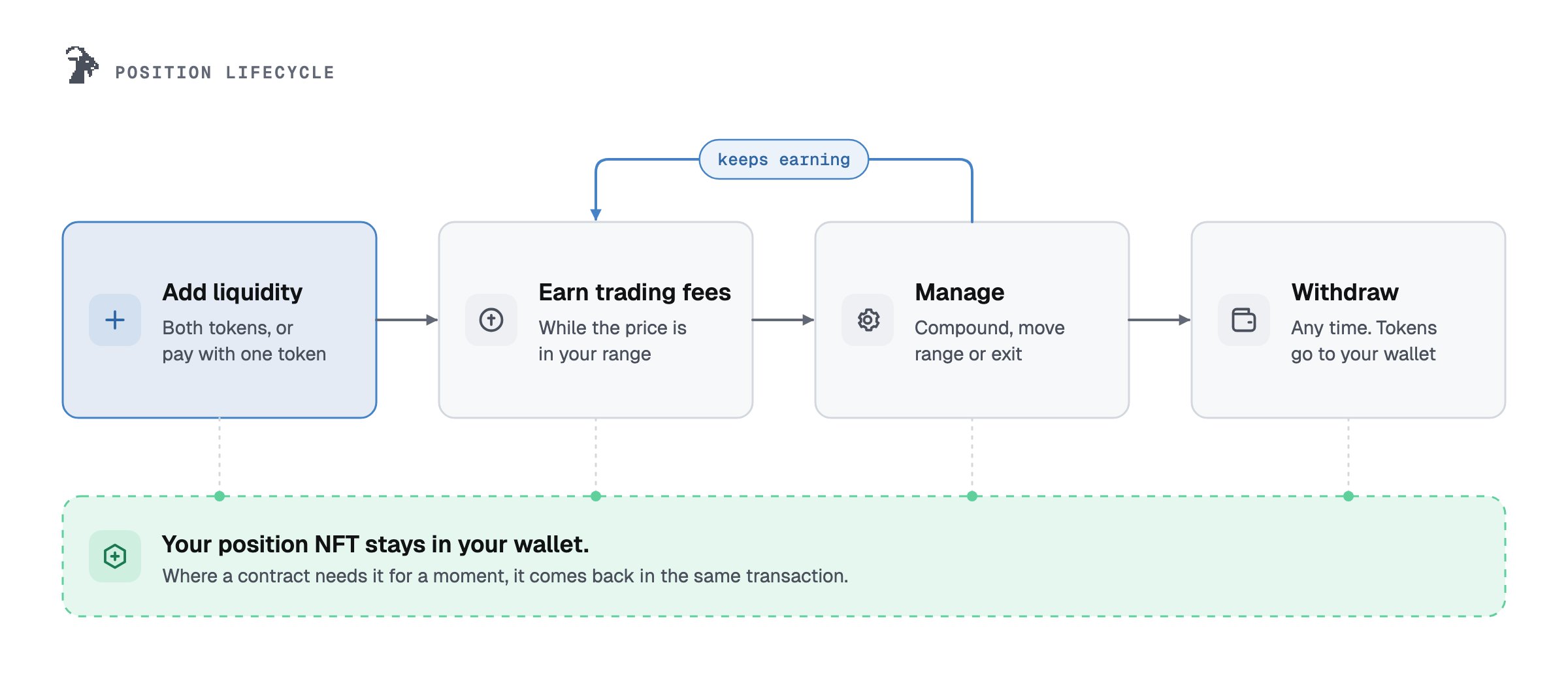
 Adds to the same position at the same range. With two tokens, only what fits the ratio is added; the
rest stays in your wallet. With one token, part is swapped first (0.65% of the swapped part).
Take out part or all of the position, as both tokens (no Goat LP fee) or as one token (0.65% of the
swapped part). The app does not swap through a pool that taxes swaps.
Sends the fees the position earned to your wallet. In both tokens it costs only gas. As one token, the
swapped part pays 0.65%.
Closes the position at the current price and opens a new one in the range you choose, with a new
position number. Uncollected fees go into the new position. If the move needs a swap, the swapped part
pays 0.65%.
Collects the fees, swaps part of them to the range's ratio and adds them back, so they earn fees too.
The fee is **10% of the fees added back**. The NFT goes to the Goat compound contract and comes back in
the same transaction, or the whole transaction fails.
Opens the setup sheet for auto-compound, auto-range or auto-exit. See [Automation](/goat-lp/automation).
## After you sign
* Every action is simulated first. If it would fail, you see the reason instead of a wallet prompt.
* If you reject a request in your wallet, nothing is sent.
* After a transaction confirms, the position refreshes straight away.
* On Uniswap v4, some tools that swap take two transactions: adding one token to a position you already
have, withdrawing or collecting to one token, and moving a range with a swap. The review lists both.
Wallets that can batch calls confirm them once. If the second one is not sent, your funds stay in your
wallet as two tokens: nothing is lost, and you can finish later.
You do not need Goat LP to leave. Your position is a Uniswap NFT in your wallet, and you can withdraw it
at Uniswap or on the block explorer, unless the pool's hook or one of its tokens blocks it.
[Security](/goat-lp/security#leave-without-the-app) shows every step.
This documentation is built and hosted on [Mintlify](https://mintlify.com), a developer documentation platform.
Adds to the same position at the same range. With two tokens, only what fits the ratio is added; the
rest stays in your wallet. With one token, part is swapped first (0.65% of the swapped part).
Take out part or all of the position, as both tokens (no Goat LP fee) or as one token (0.65% of the
swapped part). The app does not swap through a pool that taxes swaps.
Sends the fees the position earned to your wallet. In both tokens it costs only gas. As one token, the
swapped part pays 0.65%.
Closes the position at the current price and opens a new one in the range you choose, with a new
position number. Uncollected fees go into the new position. If the move needs a swap, the swapped part
pays 0.65%.
Collects the fees, swaps part of them to the range's ratio and adds them back, so they earn fees too.
The fee is **10% of the fees added back**. The NFT goes to the Goat compound contract and comes back in
the same transaction, or the whole transaction fails.
Opens the setup sheet for auto-compound, auto-range or auto-exit. See [Automation](/goat-lp/automation).
## After you sign
* Every action is simulated first. If it would fail, you see the reason instead of a wallet prompt.
* If you reject a request in your wallet, nothing is sent.
* After a transaction confirms, the position refreshes straight away.
* On Uniswap v4, some tools that swap take two transactions: adding one token to a position you already
have, withdrawing or collecting to one token, and moving a range with a swap. The review lists both.
Wallets that can batch calls confirm them once. If the second one is not sent, your funds stay in your
wallet as two tokens: nothing is lost, and you can finish later.
You do not need Goat LP to leave. Your position is a Uniswap NFT in your wallet, and you can withdraw it
at Uniswap or on the block explorer, unless the pool's hook or one of its tokens blocks it.
[Security](/goat-lp/security#leave-without-the-app) shows every step.
This documentation is built and hosted on [Mintlify](https://mintlify.com), a developer documentation platform.