

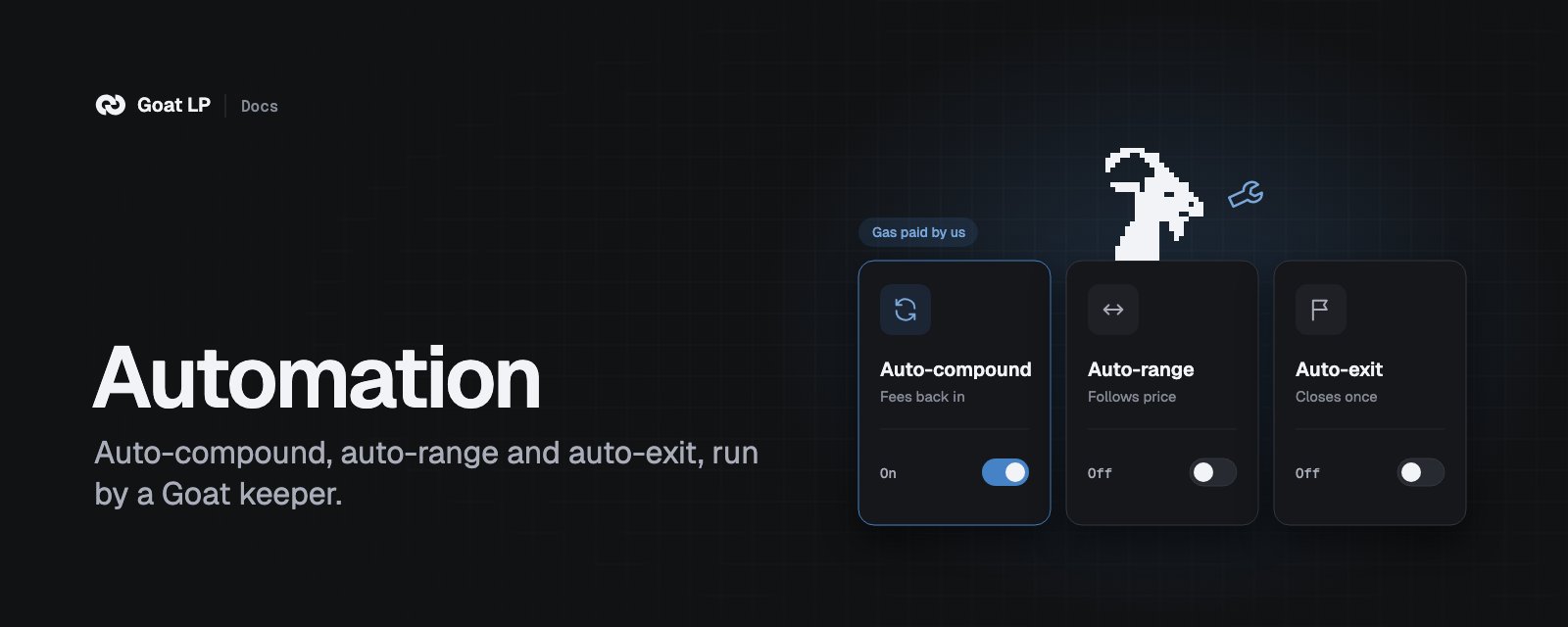
The three automations
On Uniswap v4, auto-compound can also send the fees to your wallet instead of adding them back: 10% of
the fees collected, gas paid by us. The exact base of each fee is on Fees.
A position runs one automation at a time, with one exception: auto-exit and auto-compound together when
auto-exit uses Allow for all positions. Auto-range
runs alone, and it includes auto-compound: it puts your fees back in at each move. On v4, each signed message
allows one compound. To change, press Switch to auto-range on the auto-range card: it turns auto-compound off (and
auto-exit, if it is on) and auto-range on, in one review.
How a run works
- Price check
- Auto-compound
- Auto-range
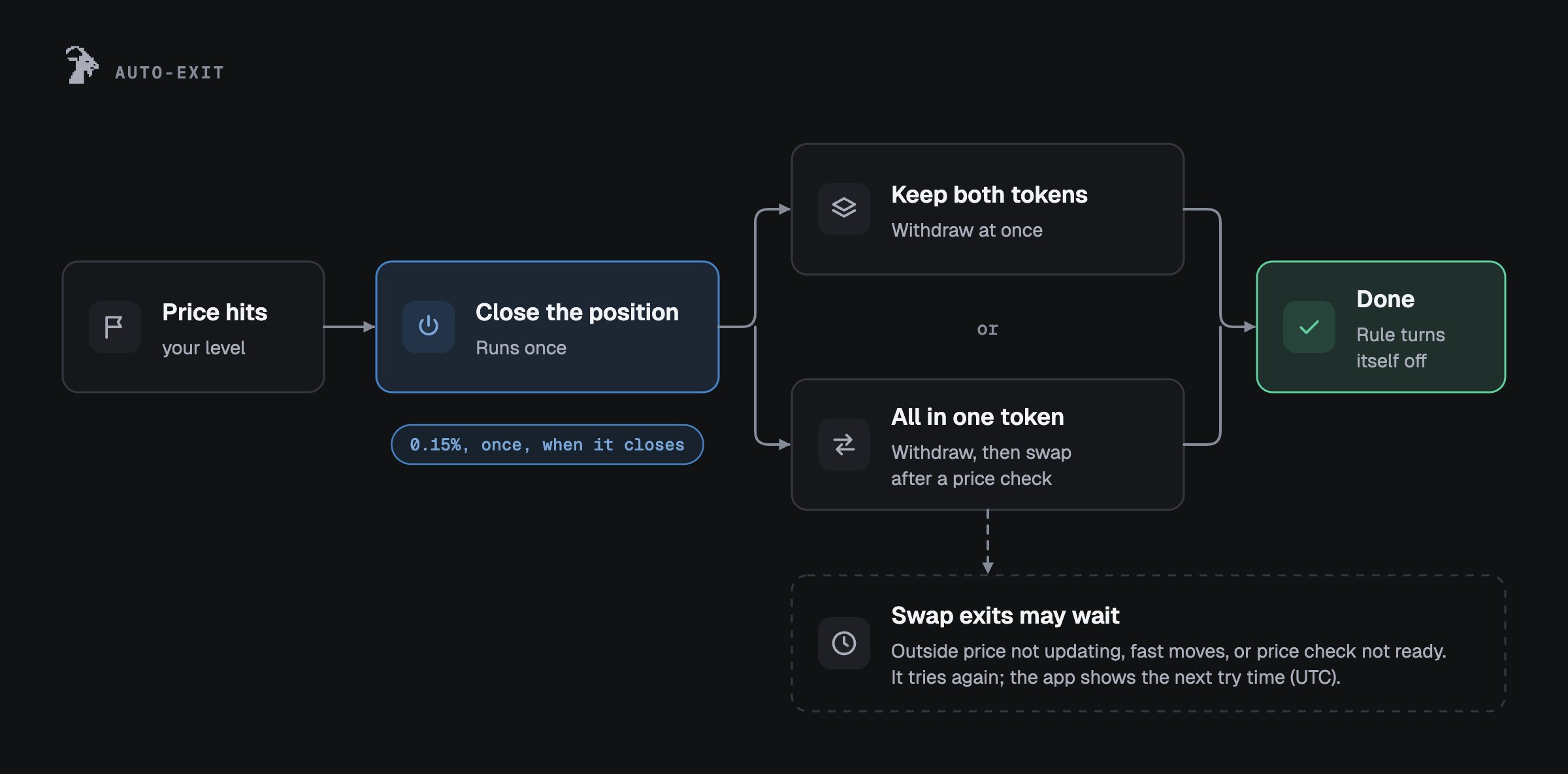
- Auto-exit
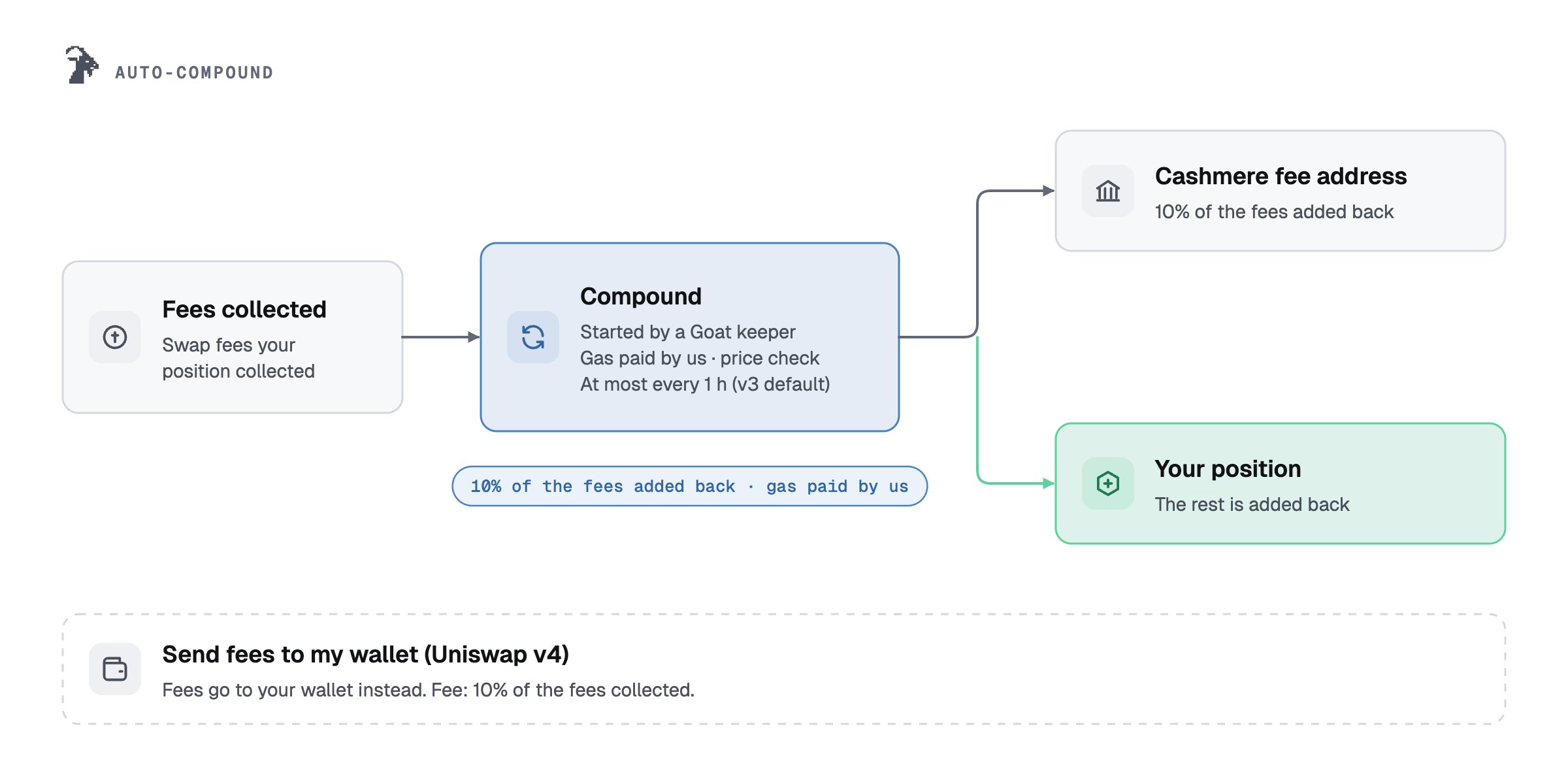
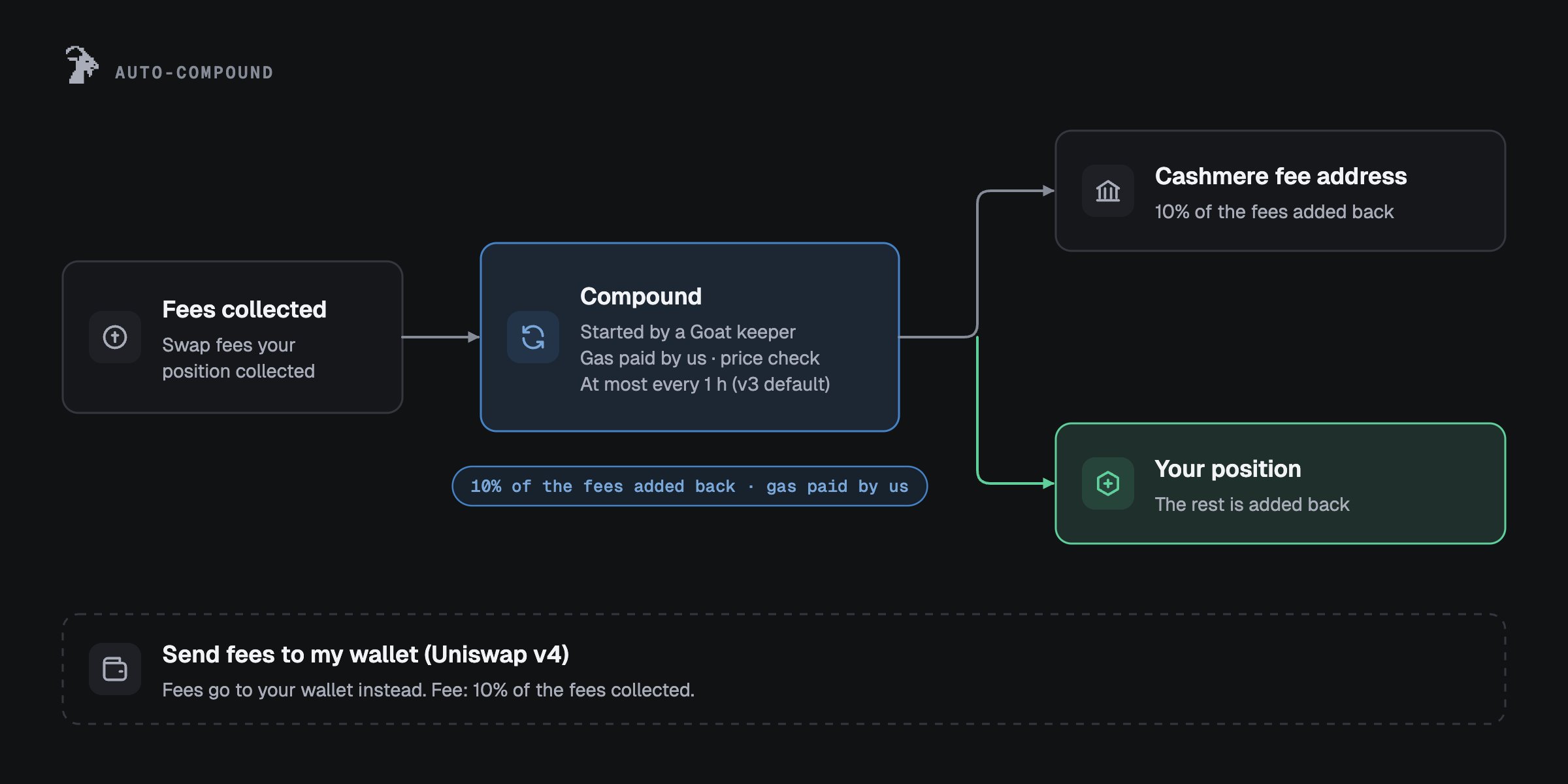
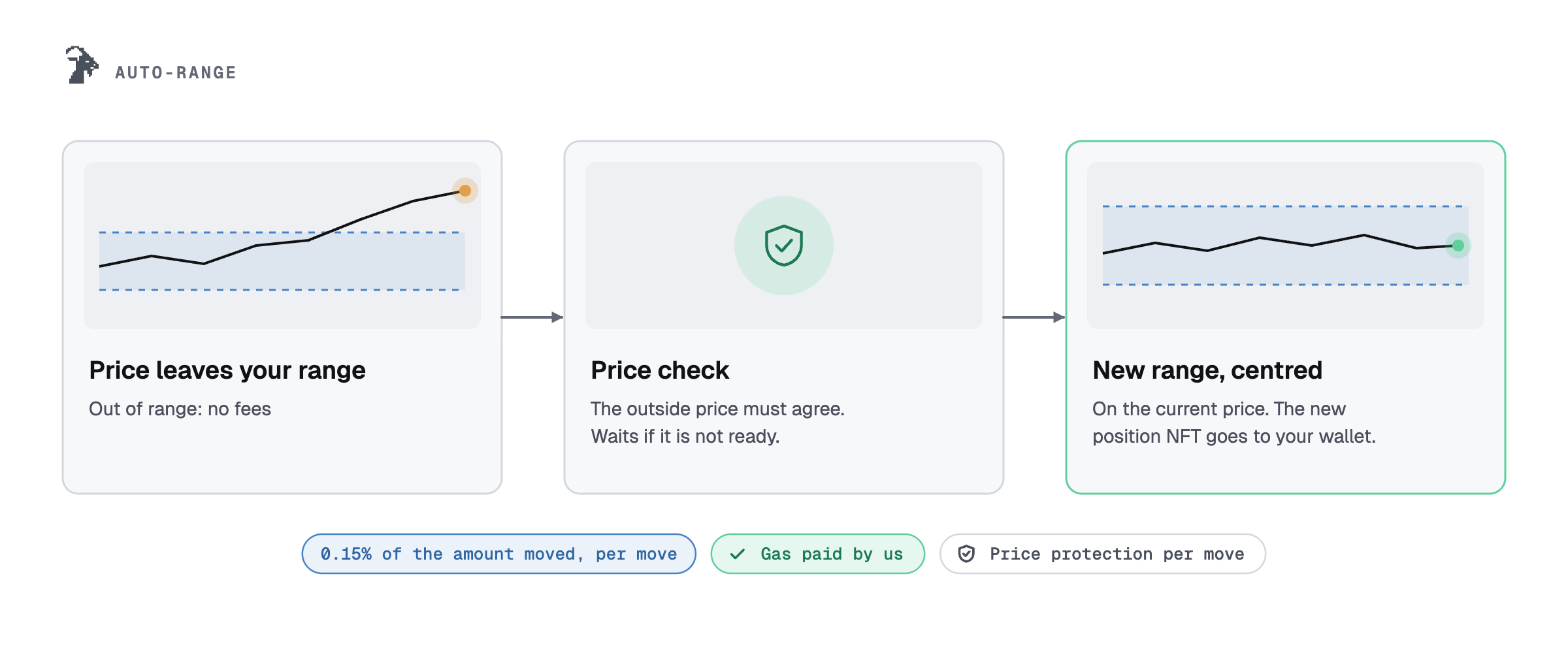
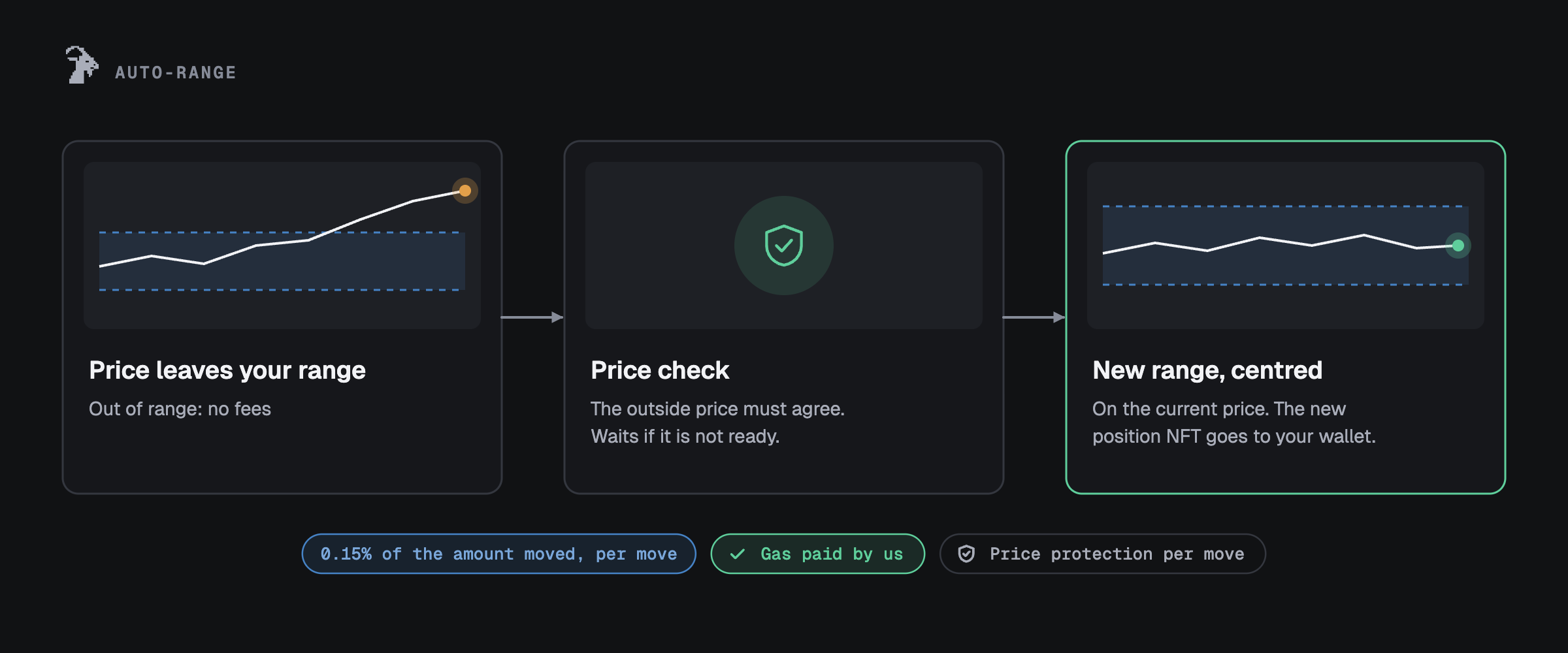
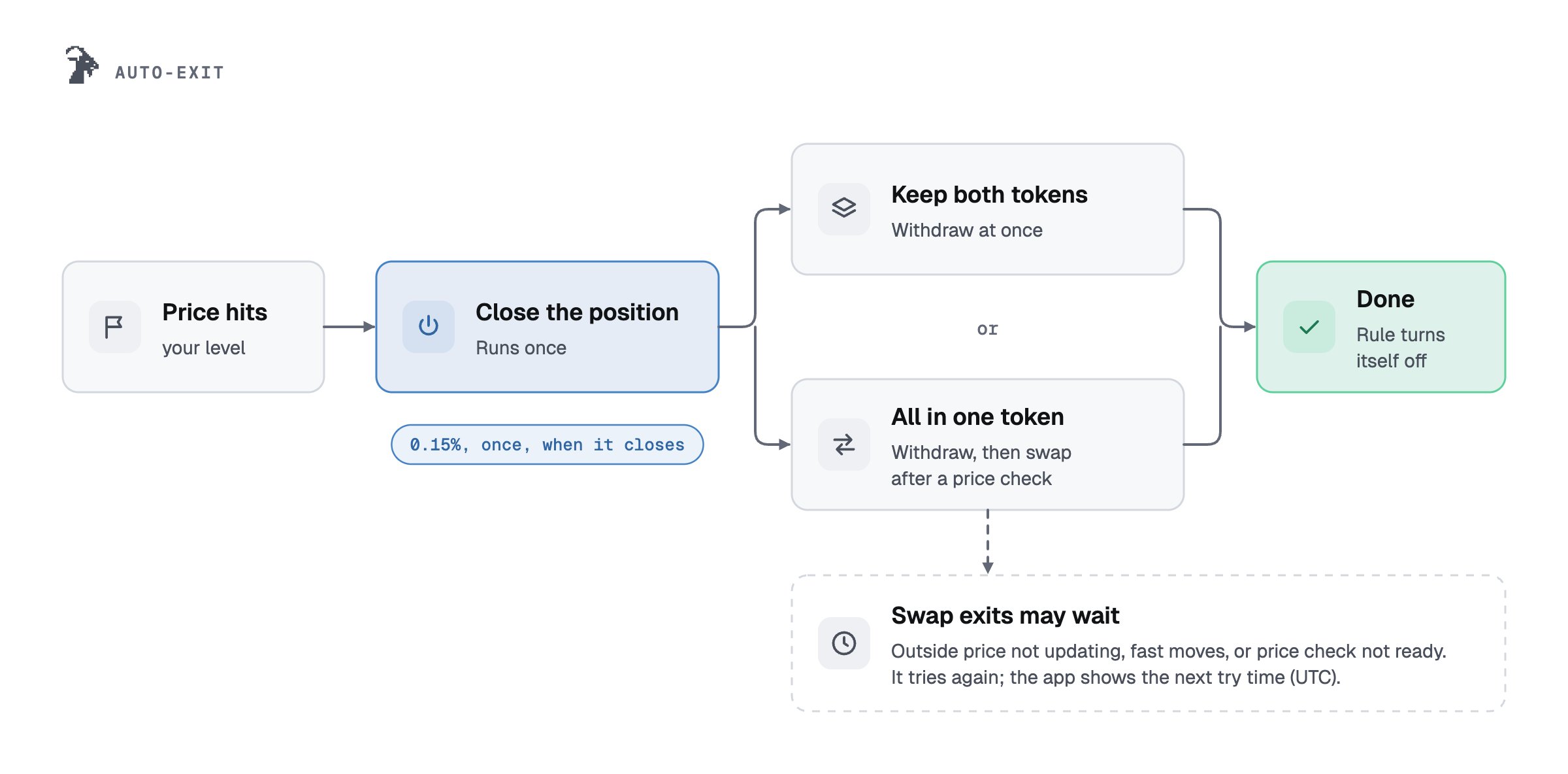
- The keeper only triggers the run. The contract decides what happens and where the money goes.
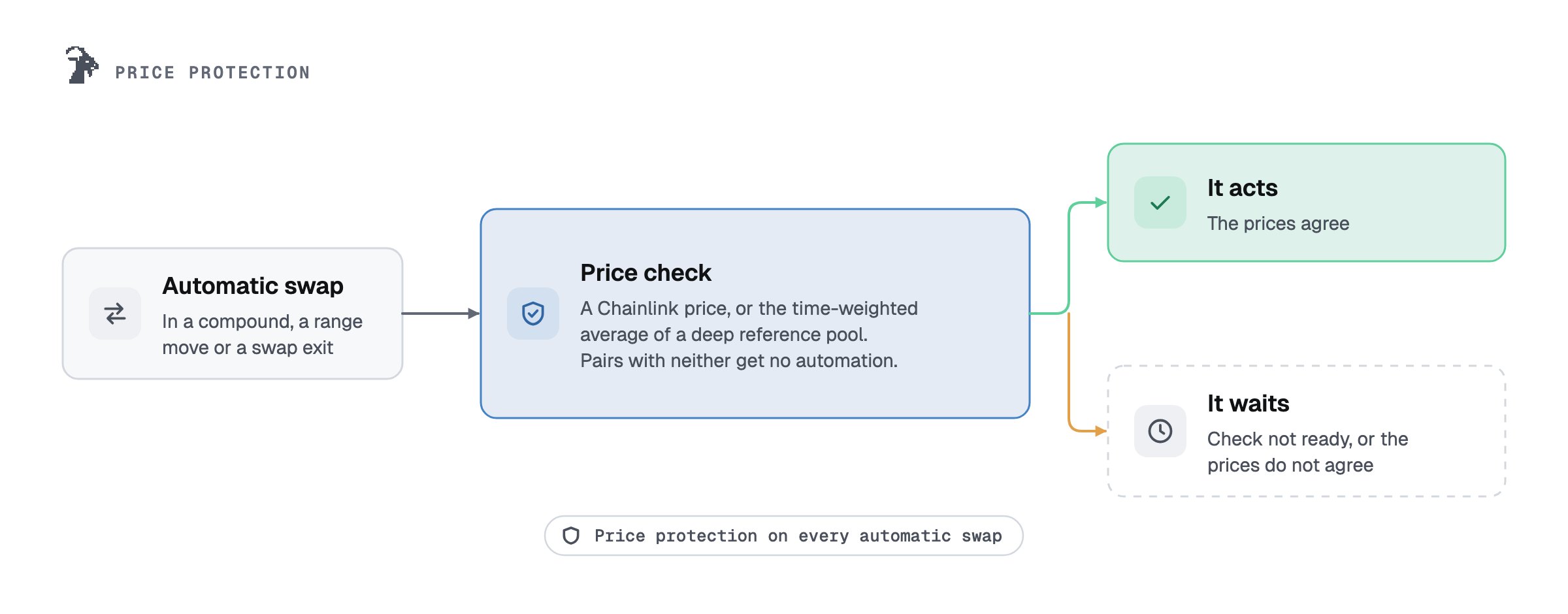
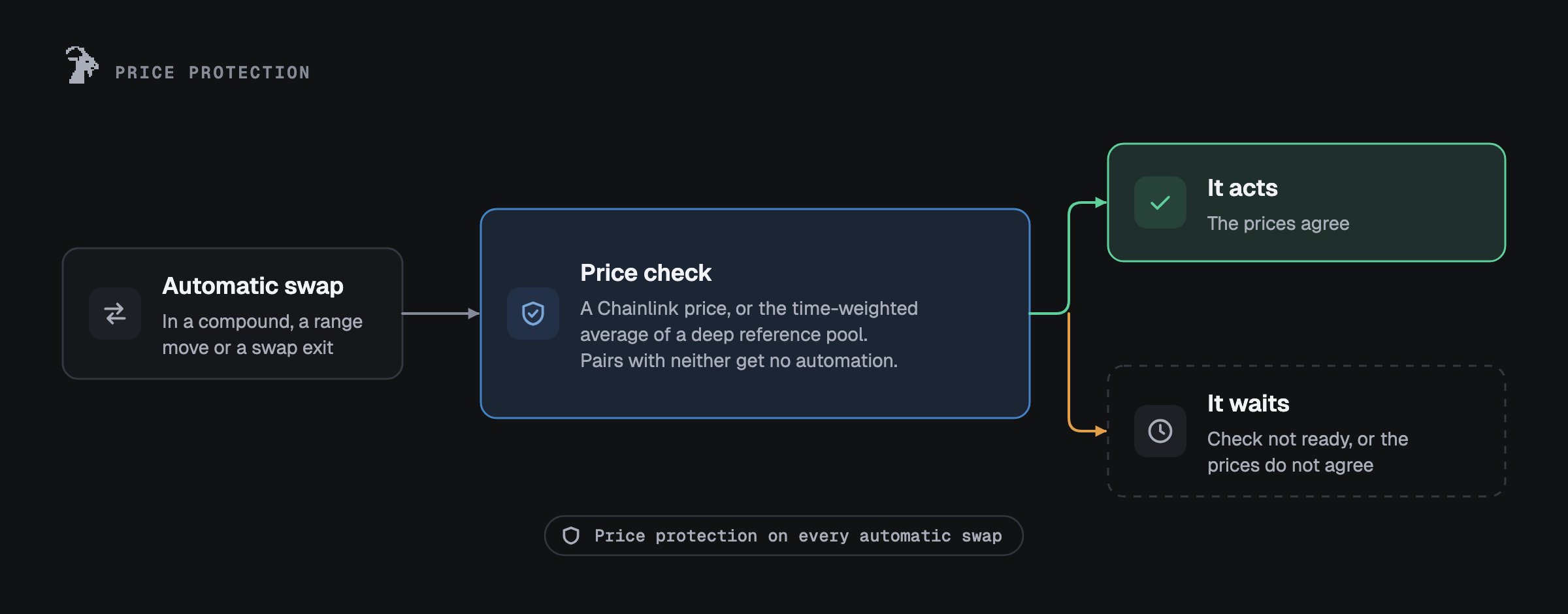
- Before any swap, the contract compares the pool price with an outside price, so one big trade in the pool cannot set off a run or push its price.
- Every output goes to the position’s owner. The keeper receives nothing.
Turn it on
1
Open the setup sheet
Press Automate on the position page and pick Auto-compound, Auto-range or Auto-exit. The
sheet says straight away if the automation cannot run on this position, and why.
2
Pick your settings
Every field starts with a default. The picture shows your range and the prices where we act. The cost
line shows Goat’s fee and that the gas is paid by us.
3
Review, then two wallet steps
Allow this position, then Turn on. On Uniswap v4, auto-compound asks for no permission:
Sign N runs (free), then Turn on. Your wallet opens N times in a row, once per signed message, free
and with no gas; you can stop and continue later. Changing a rule later is one step, Save changes, and
the permission stays. Nothing is sent until you confirm in your wallet.
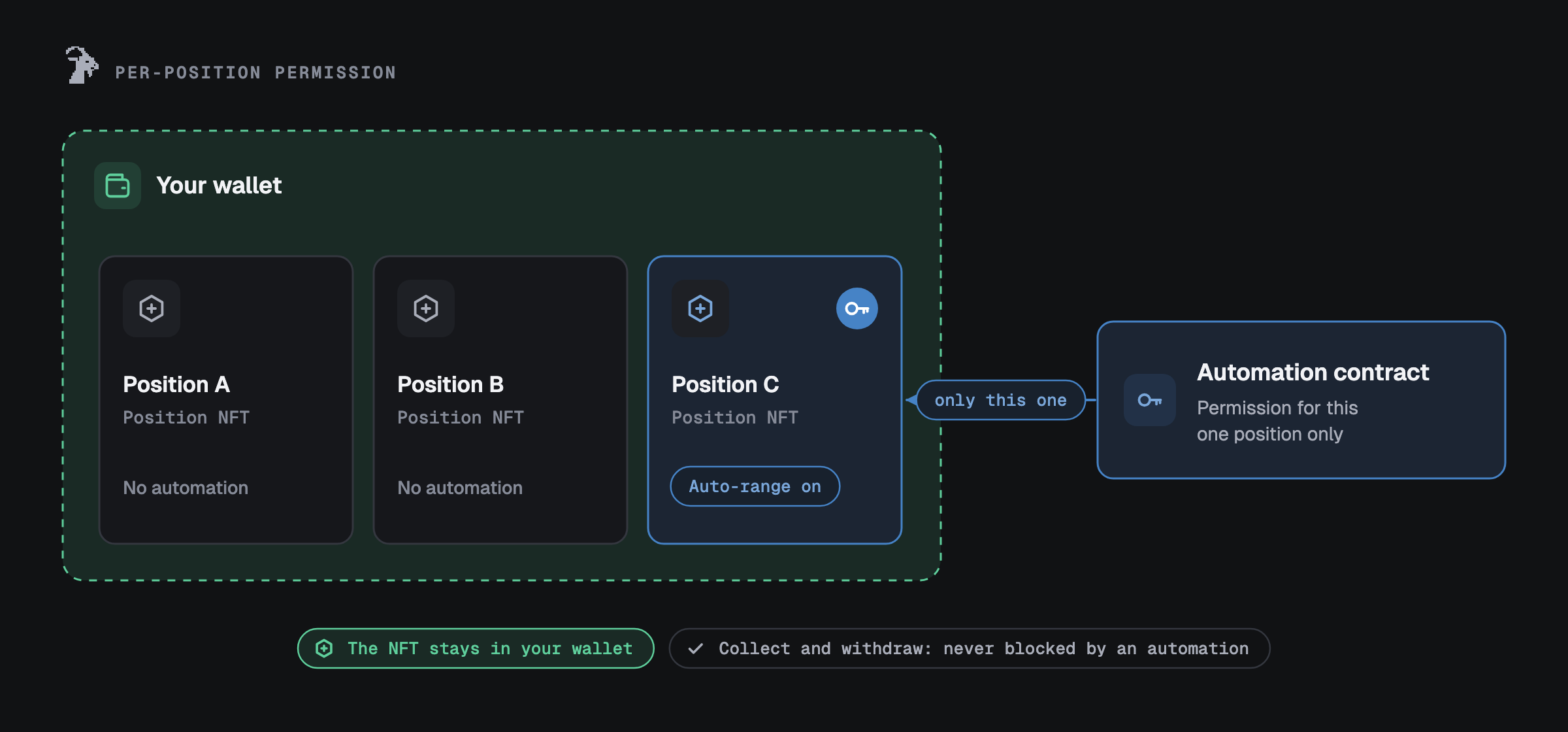
What you allow
Every automation works through a permission for one position. The exceptions are auto-range and auto-exit: each can use one permission for all your positions of one Uniswap version, see Allow for all positions.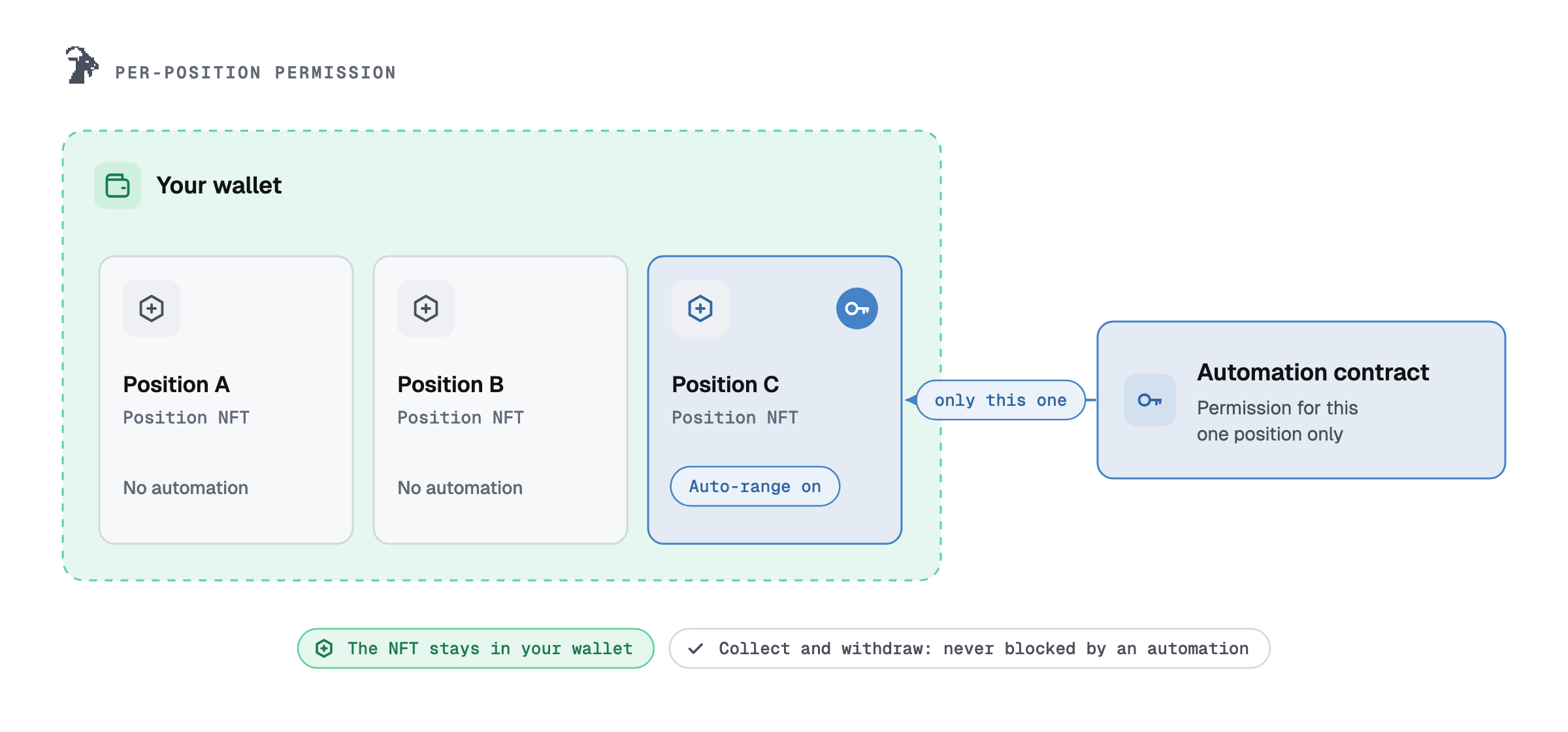
On Uniswap v4, auto-compound uses signed messages. Signing is free and costs no gas. Each signed message
allows one compound of this position until the end date you pick, and “A signed message can’t move anything
except back into your own position.” When the signed runs are used up or reach their end date, you sign again.
Wallets that cannot sign these messages (smart-contract wallets such as Safe, and 7702 wallets) give one
permission per compound instead: “Your wallet can’t sign the messages auto-compound uses. You can allow this
position instead; each permission covers one compound.” Before you allow it, you tick that you understand it
covers one compound, and the details say: “On Uniswap v4 a permission on a position also allows removing its
liquidity. The Goat contract you allow has no code that does that; it can only run the rule you set.” After each
compound the card asks: “Allow again for the next compound.”
What you sign. Each signed message for v4 auto-compound is a typed message (EIP-712) of the Uniswap v4
position manager (“Uniswap v4 Positions NFT”, chain 4663). It has four fields:
spender:GoatAutoCompoundV4, the address on ContractstokenId: your position numbernonce: a number that lets the message be used only oncedeadline: the end date you picked, at most 90 days away
On Uniswap v3 and v4, a permission on a position lets the allowed contract manage that position. What
limits it is the contract’s code: each Goat contract only runs the rule you set and sends every output to
the owner. The contract addresses are on Contracts.
Settings
Auto-compound
Auto-compound
- At most once every: 1 hour, 6 hours, 12 hours, 1 day or 7 days. The default is 1 hour on v3 and on wallets that give one permission per compound. With v4 signed runs, the default is the end date divided by the runs, rounded down to one of these and never under 1 hour: 30 days and 12 runs give 1 day; 90 days and 4 runs give 7 days.
- Price protection: the most the swap may lose against the reference price (default 1%).
- Uniswap v4 mode: Add fees back (default) or Send fees to my wallet.
- Uniswap v4 signed runs: Keep running for 7, 30 (default) or 90 days; after that date the keeper stops by itself. Runs to sign now 4, 12 (default) or 30. A position under the minimum size starts at 4 runs over 90 days. When 3 days or 2 runs are left, the app asks you to sign again: “Auto-compound stops on date. Sign again to keep it running.” with Sign N more (free).
- Uniswap v3: Swap to match the range. Off: only the matching part is added; the rest comes back to you without a fee.
Auto-range
Auto-range
- How far past the edge before we move: at least the pair’s closest move point. Before every move we check an outside price, and the pool price and the outside price may be a little apart, so the move point can’t be closer than that. The sheet shows the exact figure for your pair.
- Width of each new range: on v3, same as now or custom; on v4, the same width as now.
- Price protection per move: default 0.50%.
- Uniswap v4 only: wait between moves (1 hour to 30 days, default 6 hours), the highest swap fee in a move (default 1%, at most 10%) and 20 moves. After the last one the card says “Auto-range used all its moves. Renew to keep it running.” and you press Renew.
- Uniswap v3: no wait between moves.
Auto-exit
Auto-exit
- A level below your range, above it, or both. The sheet suggests 5% beyond each edge. A level must sit at least the pair’s buffer outside your range; the sheet shows the closest allowed level.
- Keep (withdraw only) acts as soon as the pool price reaches your level.
- Swap all to one token also checks the outside price first, so in a fast move it can wait.
- In a sudden jump the price can pass your level before we act, so you may get less than shown.
Where it can run
- Listed pairs with an outside price: a Chainlink price, or a deep pool Goat checks against. Pairs without one are not offered. Of the pairs priced without Chainlink, only v4 PONS / USDG offers auto-range and swap exits today. On the others the sheet says “Auto-range and swap exits aren’t offered on this pair yet. Exits without a swap work.”
- Withdraw-only exits also work on a listed pair’s pools that have no price check of their own.
- In the deep pool Goat checks a pair against, auto-compound’s price check uses that pool’s own 30-minute average.
- Uniswap v4 hooks: pools without a hook, or with a hook Goat reviewed. Other hook pools get no
automation (“Hook not reviewed”). Auto-compound follows its own list of reviewed hooks inside
GoatAutoCompoundV4, pinned by code hash, so a pool can be open for auto-range and auto-exit but not for auto-compound, or the reverse. Some hooks change what is offered: see the table below. - Tokens that keep a cut when they move (a transfer tax): no auto-range and no swap exits. Withdraw-only exits work.
- Size: there is no per-position cap. Positions under about $50 at today’s gas are too small for us to move, so auto-range is not offered for them; the app shows the current figure. On pairs without a Chainlink price, an hourly swap limit is shared by everyone on the pair; auto-range is not offered for a position too large for it, and larger runs wait until the pair’s price check is deeper. Smaller runs still go ahead. In both cases auto-exit still works, but a swap exit above the pair’s limit gets “A swap exit this large is above this pair’s limit (about $N). Withdraw only would act right away.”
- Stock-token pairs run swaps only while their outside price is updating, so a move or a swap exit can wait a day or more.
- Pairs priced without Chainlink: automatic swaps pause when the price moves fast. They resume by themselves once the pair’s other pools, and for a stock token its outside price, agree for an hour. The card says “Paused for a price check. Back in about N min.” or “Paused for a price check. We check again every 5 minutes.” Exits without a swap never wait.
Positions that cannot be automated:
- A full-range position: no auto-range or auto-exit, because it never leaves its range.
- An empty position.
- A position held by another app.
- A position linked to another app: “This position is linked to another app. Unlink it first.”
- A range too narrow for auto-range. On v4 a range needs at least about 4% between min and max, more on some pools; on v3 each new range must be at least that wide. The sheet shows the exact figure.
Status and stopping
When v4 auto-compound has no signed message the keeper can use (all used, past their end date, or never
received), a banner shows at the top of every Goat LP page: “Auto-compound stopped on one of your positions”
(or “on N of your positions”), “It needs you to sign again before it can run. Signing is free.” Press
Sign again.
Stop turns the rule off (the keeper stops right away), then removes the permission:
- v4 auto-compound: the rule is turned off, then the unused signed messages are cancelled and the permission, if one is set, is removed.
- v4 auto-range and auto-exit: the rule is cleared, then the permission is removed.
- v3: the rule is turned off, then the permission is removed.
Keepers


- Keepers are Goat-run bots. They pay the gas. They never hold or receive your tokens.
- A position that is too small for us to move is not moved. The card says “Too small for us to move at this size. Your rule stays on.”
- Exits run even on small positions: we cover the gas, within a daily limit. An exit can wait when Goat’s daily gas budget for exits is used up, when Goat’s gas help for small exits is at its limit, or when network gas is higher than Goat pays for an exit. The card then says when the keeper tries again (in UTC), and it keeps trying while the exit is on.
- If a keeper is late or down, nothing happens to your position. Do not rely on automation alone.